Light and time of day
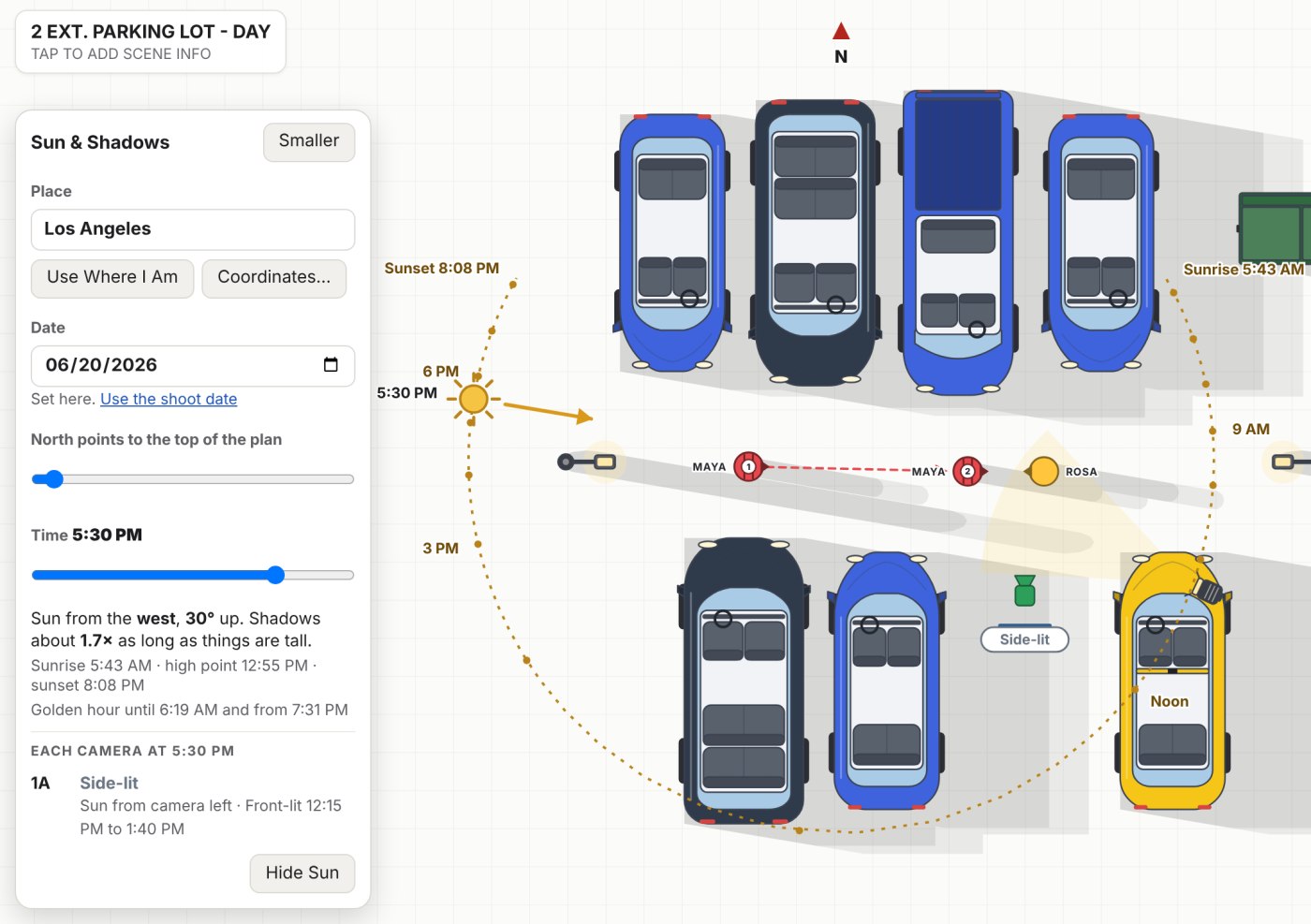
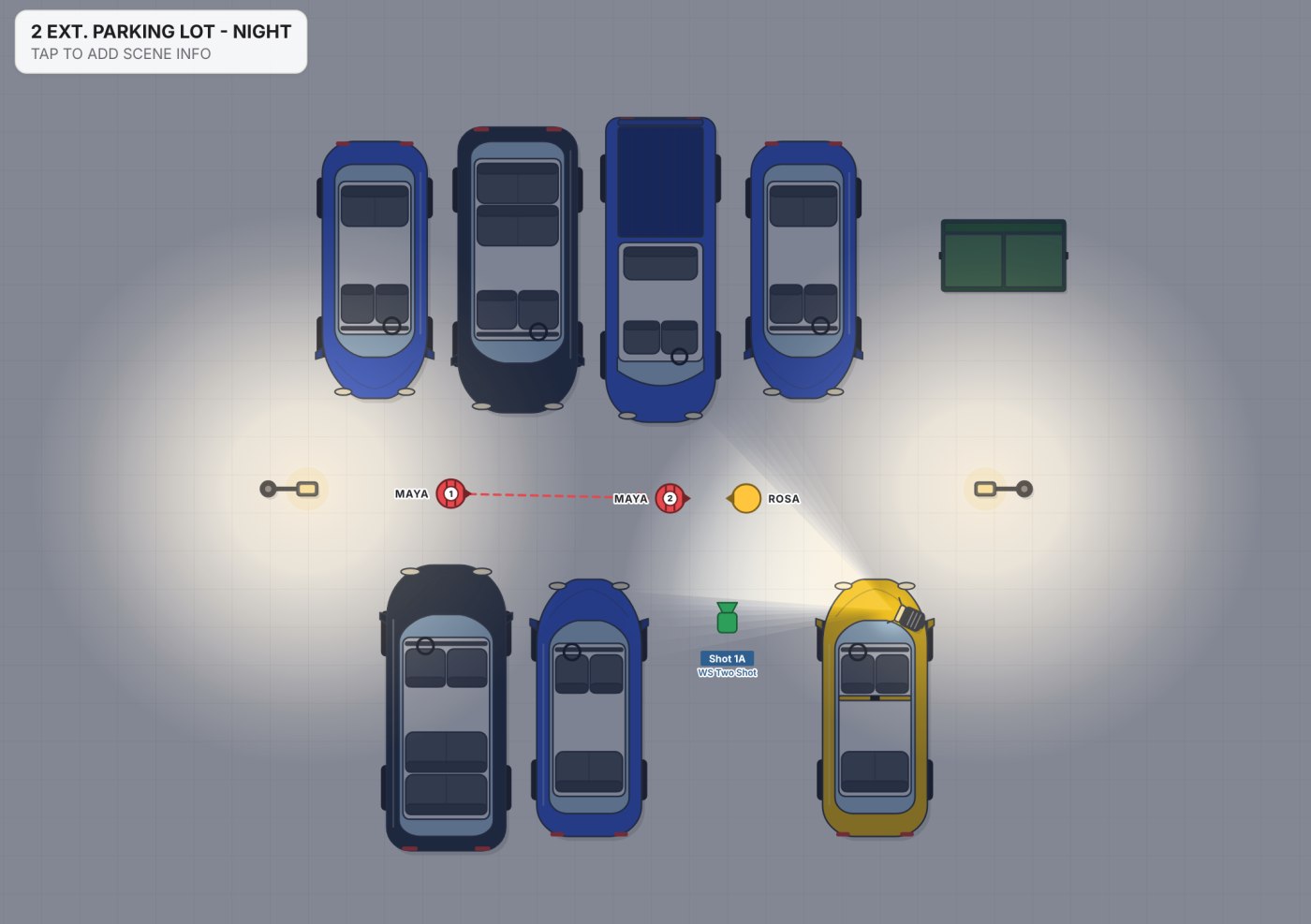
Day. Night.
The same lot, the same blocking. See where the sun will be, then turn the lights on.
A scene’s breakdown, strategy, floor plan and shot list in one place.
Free · In beta · No sign-in needed to start
For Mac, PC, iPad and Android tablets
Build the set, block the scene and place the cameras. Every camera on the plan is a shot on the list.
For a location before it has scenes. Sketch the space, pin photos where you took them and place camera ideas.
The plan becomes something to shoot from. Nothing on it can be moved by accident.
The same lot, the same blocking. See where the sun will be, then turn the lights on.
| Shot # | Feature | What it does |
|---|---|---|
| 1A | Import a script | A folder with a scene for every scene in the PDF, and a character for everyone who speaks. |
| 1B | Set from a Director’s Plan | Reads an art department plan into walls, doors and furniture you can move. |
| 1C | Overhead from an Address | Draws the block around a real address, to scale, with north marked. |
| 2A | 235 props and set pieces | Placed at true size. Keep your own as My Props. |
| 3A | Draw the Walk | Draw where a character goes and the line becomes the move. |
| 3B | Track With | A camera that travels with a character, leading, beside or trailing. |
| 4A | Lenses on the plan | See how wide each lens sees from where the camera stands. |
| 4B | Storyboard frames | Attach a picture to any shot. |
| 5A | Suggest Shooting Order | Groups setups by which way the cameras look, so one direction is finished before you turn around. |
| 5B | Export PDF | The breakdown, the floor plan and the shot list, under your production’s letterhead. |
Every one of these is explained in The Guide, which is also a PDF.
Scene 1 of “The Long Way Home”, the invented project in these pictures, as Export PDF makes it: the breakdown, the shooting strategy, the floor plan and the shot list.
PDF · 4 pages · 0.7 MB · Nothing retouched
Lanre Olabisi wrote, directed and produced his first two features, August the First and Somewhere in the Middle. The first earned a Gotham Award nomination and played South by Southwest and Karlovy Vary, and both went on to Netflix. He now directs network television, including The Rookie and The Rookie: Feds, and spent fourteen years teaching directing at the New York Film Academy.
I direct television and film. Every scene I prep ends up in four places: the breakdown, how I mean to shoot it, the floor plan and the shot list. Change one and the others go stale. I wanted one notebook where a camera on the plan is already a shot on the list. So I made it.
It was built during real prep, one episode at a time. Everything in it is there because a scene needed it.
The idea is an old one. Before he shot The Godfather, Francis Ford Coppola cut up Mario Puzo’s novel, pasted the pages into a binder and wrote his plan for every scene around them. He has said he could have made the film from that binder alone. That is the goal I have whenever I direct something. I want to be able to direct the show from the notebook alone.
Watch Coppola discuss The Godfather Notebook · Buy Francis Ford Coppola’s Godfather Notebook
OfflineOnce it has been opened on a device it keeps working without a connection. There is no Save button; work is saved as you go.
SyncSigning in keeps the same scenes on every device. Sync is invitation only for now. To request access, write to info@thedirectorsnotebook.com. Without it everything still works and stays on the one device.